The slider
One drag. Every city.
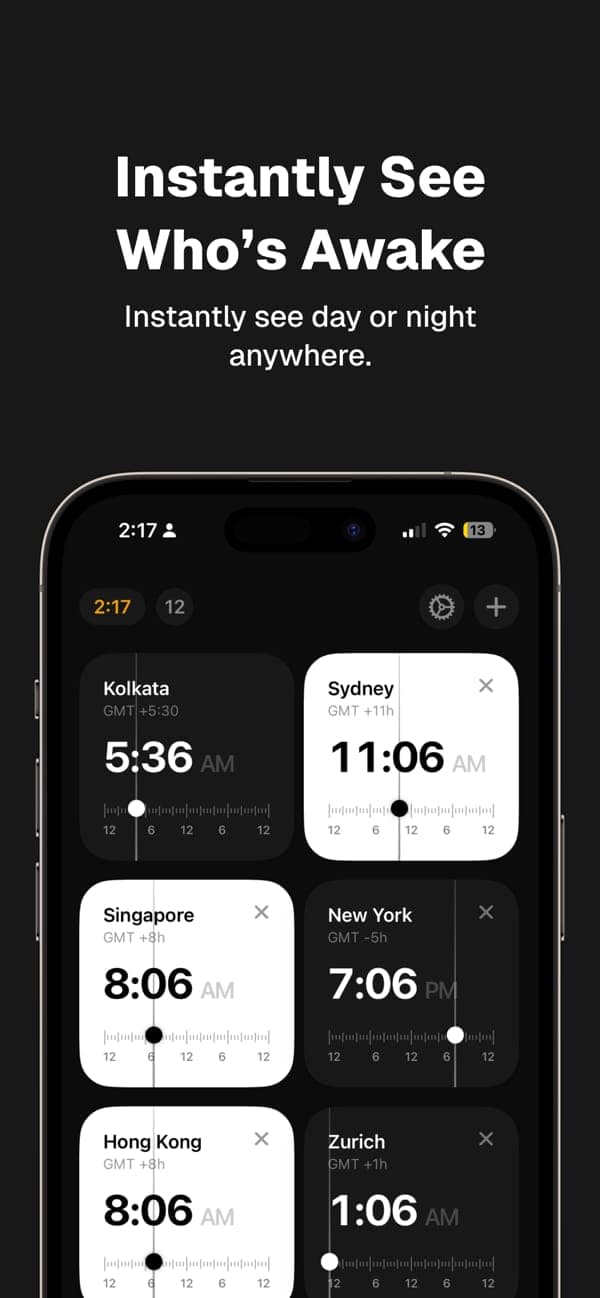
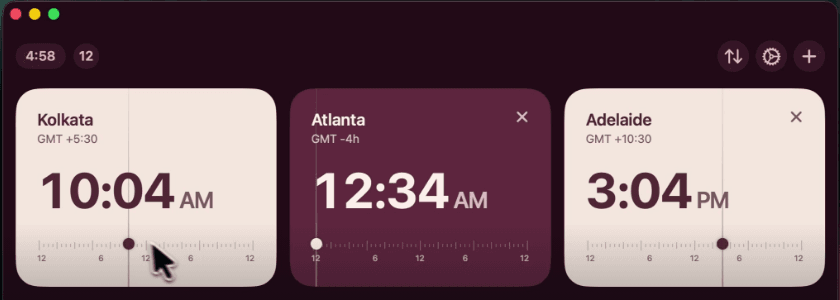
Every card has its own 24-hour ruler. Move any of them and the others follow, live. Tap the clock in the top bar and you’re back to now.
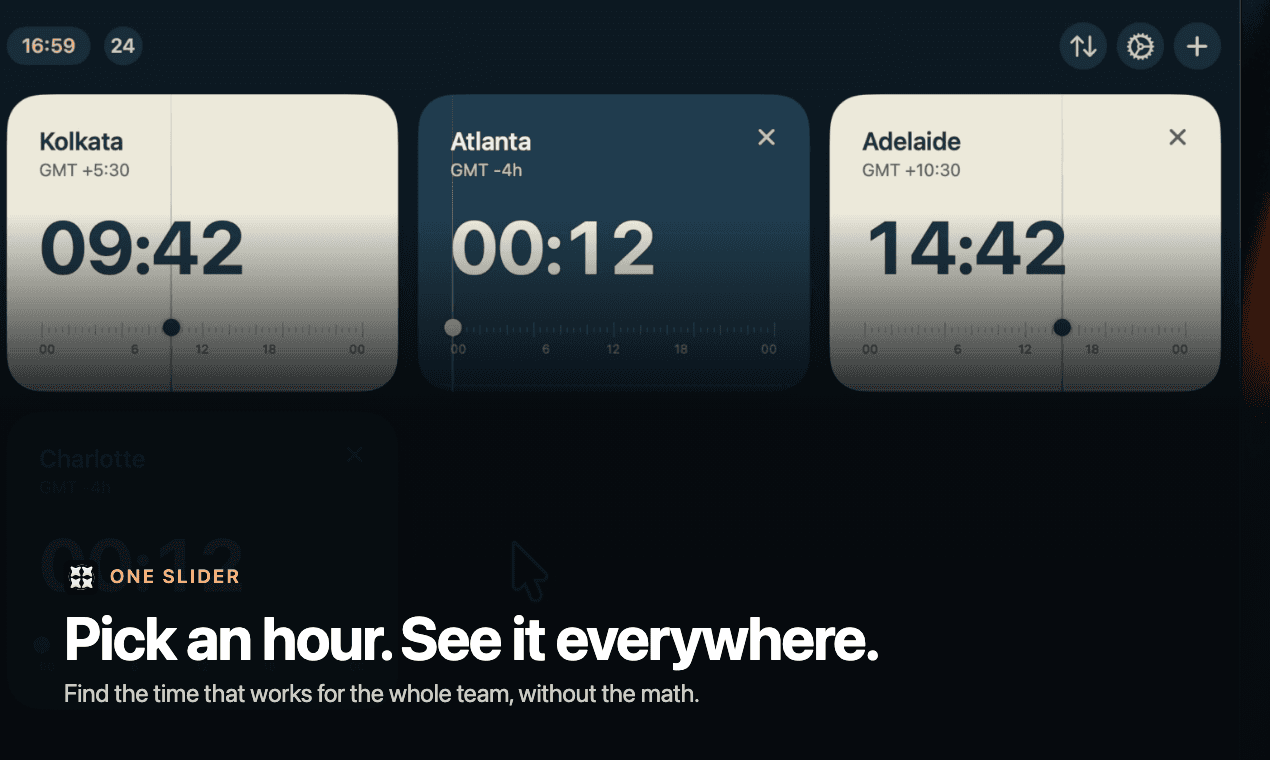
Time Zone Pro is the world clock for people whose lives cross time zones. Drag any city and see what that time means everywhere, and who’s awake.
Free · No ads · No account · iPhone, iPad, Mac & Android
Home · Sun 25 Oct
AM
Weekend
−4h / EDT
AM
Night
+9h / JST
PM
Weekend
Drag any card’s slider · every city follows
Go on, drag one. A taste of the app, running on your time zone. Your own cities, themes and the meeting planner live in the app.
Why it exists
Most world clocks answer “what time is it in Tokyo right now?” The question you actually have is about later: if I say 9 PM here, what is that for everyone else, and is anyone asleep?
Features
The slider
Every card has its own 24-hour ruler. Move any of them and the others follow, live. Tap the clock in the top bar and you’re back to now.
At a glance
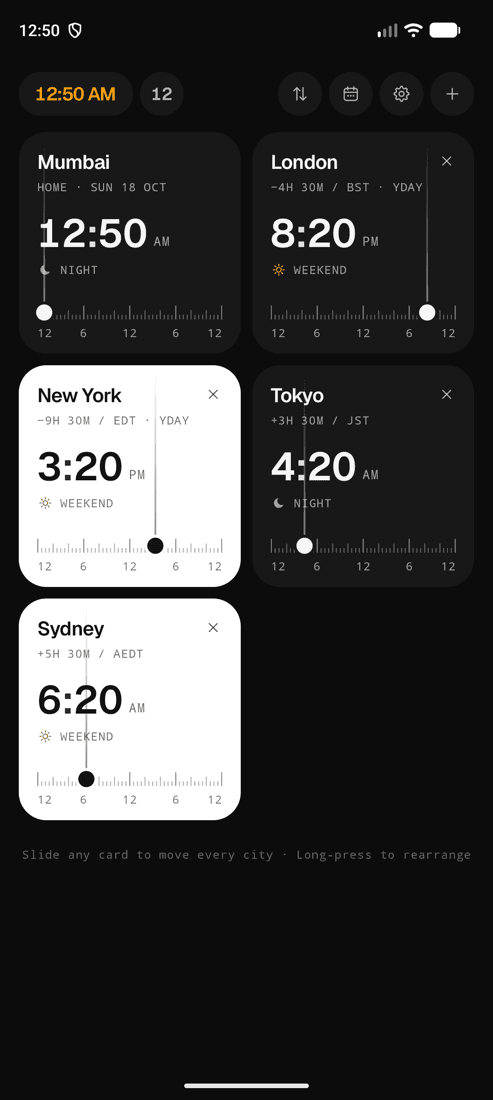
Day cards glow, night cards go dark, and every city says what it’s probably doing.
Accuracy
The US and Europe change clocks on different weekends, and on the day itself a “day” is 23 or 25 hours long. Time Zone Pro uses your device’s time zone database, so the skipped hour and the repeated hour are both right.
Down to the minute
Built in Mumbai, where the clock is UTC+5:30, so odd offsets were never an afterthought. Cities across the date line say YDAY or TMRW.
Themes
Each theme recolours every screen: day and night cards, sliders, settings, even the paywall. Classic is free.
Your cities never leave your device. The App Store label says it plainly: Data Not Collected.
A soft tick as you slide past each half hour, so you can feel the time move.
Long-press to make the cards jiggle, drag them into place, tap Done.
Search by city, country or abbreviation like PST or CEST. On Apple devices, Apple Maps finds any town.
Uses your device’s time zone and updates when you travel. No location permission, ever.
Find a time
On AndroidEvery city’s day as a strip, coloured by working, awake and night hours. Drag one meeting window across all of them, pick 30 to 90 minutes, and send it to your calendar. With Pro, plan on any date and get suggestions for the best overlap.
How it works
Your home clock is already there. Add the cities of your team, clients or family. Search works offline.
Pick a time in any city. Every other card moves to match, with the right offset, abbreviation and date.
Day cards are bright, night cards are dark, and each one says Working, After work, Night or Weekend.
Platforms
Native on every platform. SwiftUI on iPhone, iPad and Mac, Kotlin and Jetpack Compose on Android, with the same cards and the same slider.
Made for
Standup in Bengaluru, design review in Berlin, sales call in Austin. Slide until every card says Working.
Name the card “Mom” (on Android) and check it’s not 2 AM in Toronto before you hit call.
Offer slots that land inside your client’s day, not just yours, and write both times in the invite.
Landing at 6:40 AM local? Slide the destination card and see what time that is for everyone back home.
Compare
The built-in Clock tells you what time it is now. Converter websites make you type. Time Zone Pro lets you move through the day with your thumb.
| Time Zone Pro | Built-in Clock | Converter websites | |
|---|---|---|---|
| Drag to any time, every city follows | Some | ||
| Working, night and weekend labels | Some | ||
| Daylight saving and half-hour zones | |||
| Works offline | |||
| Remembers your cities | Some | ||
| No ads, no tracking | |||
| Same app on iPhone, Mac and Android | Some |
Pricing
Everything you need for one other place.
$0
For teams, clients and big families.
One unlock
Price shown in your local currency in the store.
Purchases are handled by Apple and Google. Pro on Android is a one-time purchase with no subscription. Restore any time from Settings.
At a glance
Time Zone Pro is a world clock and time zone converter for iPhone, iPad, Mac and Android. Every city is a card with its own 24-hour slider. Drag any card and all the other cities move with it, so you can see what one time means everywhere at once and who would be awake, working or asleep.
Yes. Time Zone Pro is free to download, with no ads and no account. The free version includes the sliders, day and night cards, 12/24-hour time and the classic theme. Pro is an optional in-app purchase that unlocks unlimited cities and extra themes.
On iPhone, iPad and Mac the free version compares your home clock with one more city. On Android it includes your home clock plus four world cities. Pro removes the limit on every platform.
Yes. Time Zone Pro runs natively on Macs with Apple silicon (macOS 14 Sonoma or later) and is available from the Mac App Store. It is the same app as on iPhone and iPad, so one purchase covers your Apple devices.
Yes. Time Zone Pro is on Google Play for Android 8.0 and later. The Android version adds a Find a time meeting planner, city nicknames, custom work hours and seven themes, and Pro there is a one-time purchase.
Add the city of everyone on the call, then drag any slider. Every card updates together and shows whether that city is Before work, Working, After work, at Night or on the Weekend. Stop when everyone is inside working hours. On Android, Find a time also colours each city's day and lets you drag one meeting window across all of them.
Yes. Time Zone Pro uses your device's time zone database, so daylight saving changes are automatic, including the weeks in March and October or November when the US and Europe change clocks on different dates. On the day of a change it correctly handles the skipped hour and the repeated hour.
Yes. India (UTC+5:30), Nepal (UTC+5:45), Adelaide (UTC+9:30 or +10:30), Newfoundland (UTC−3:30) and the Chatham Islands (UTC+12:45) all show the exact time, along with yesterday and tomorrow labels when a city is across the date line.
No. It follows your device's time zone setting, or you can choose a home city yourself. It never asks for location permission.
No. There is no account, no analytics, no advertising and no tracking. Your cities and settings stay on your device. The App Store privacy label reads Data Not Collected, and the Google Play listing reports no data collected or shared.
Yes. Clocks, sliders, daylight saving rules and the built-in city list all work without a connection. On iPhone and Mac you can optionally search any town through Apple Maps when you're online.
The built-in Clock app shows the current time in each city. Time Zone Pro lets you drag to any time and see every city update together, with day, night and work-hours labels, which is what you need when planning a call or a trip.

Free on the App Store and Google Play. Same app on iPhone, iPad, Mac and Android.
iOS 17+ · macOS 14+ Android 8+